Category: Content standards and editorial process

  • How tronicreview.com Chooses What to Publish

    How tronicreview.com Chooses What to Publish

    Last updated: October 25, 2026

    Quick answer: tronicreview.com chooses what to publish by filtering topic ideas through editorial relevance, reader need, and a clear content brief, then prioritising the topics that fit its topic pipeline and audience goals.

    How tronicreview.com chooses what to publish is really a question about editorial selection, not volume. If you want the plain-English version, this is the answer: a site does not publish everything it could cover. It picks the topics that help its readers most, match its editorial process, and fit the shape of the page it is trying to build. On a site like tronicreview.com, that usually means asking three questions before any draft starts: Is this useful now? Does it belong on this site? Can it be explained better than the many pages already circling the same search?

    What tronicreview.com is actually selecting for

    tronicreview.com is selecting for fit, not just volume, and that changes what gets published.

    A generic content machine looks for anything with a keyword. A real editorial process looks for a topic that solves a specific problem for a specific reader. That means the first filter is audience relevance. If a topic does not serve the reader the site is trying to reach, it does not belong, even if it has search demand. The second filter is usefulness. A page earns its place when it answers a question cleanly, not when it merely repeats a broader category page in different words.

    This is where a content brief matters. A brief is not a decorative document; it is the small set of decisions that keeps the article from drifting. It usually defines the topic angle, the reader’s likely intent, the information the page must include, and the line it must not cross into neighboring subjects. For this article, that line is important. The job here is to explain topic selection, editorial priorities, content planning, and audience relevance. It is not to drift into sourcing rules, company history, or site support.

    A useful way to think about the selection standard is this: a topic should have enough friction to warrant explanation, but not so much complexity that the page turns into a manual nobody asked for. If the best answer is usually a yes-or-no, a 300-word page may be enough. If the reader needs a process, comparison, or decision framework, the topic probably belongs. That is why a topic pipeline matters. It helps the site move from rough idea to publishable angle without stuffing the calendar with weak articles.

    How topics move through the editorial process
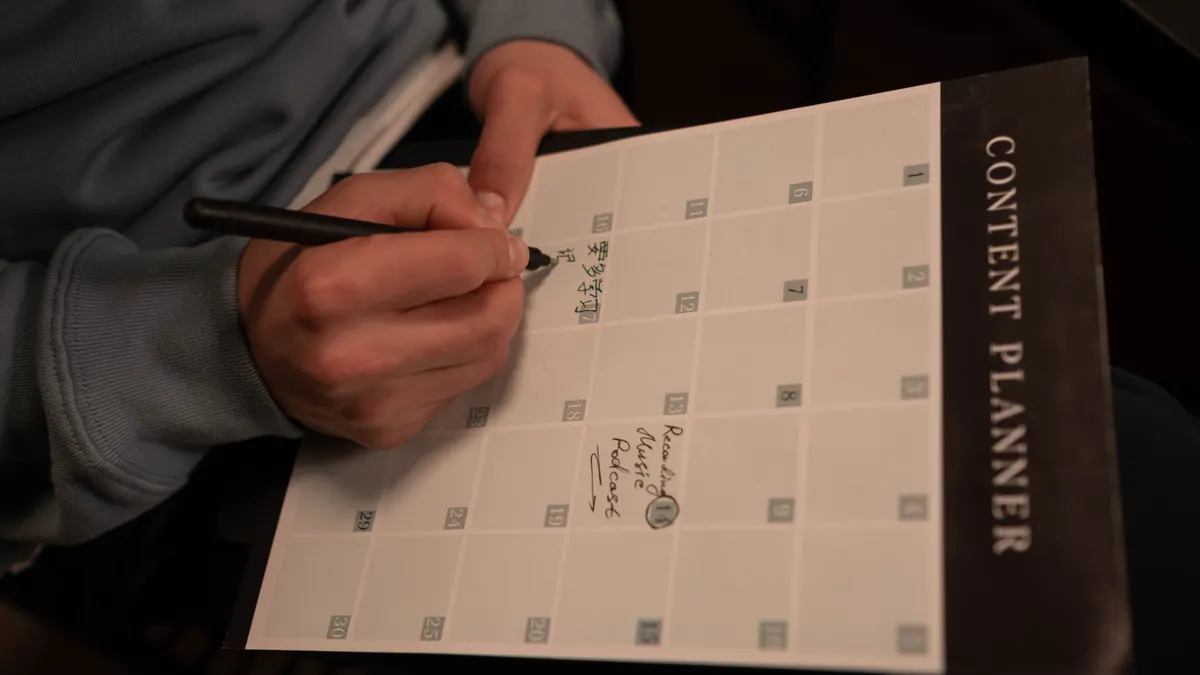
    Hand writing in a content planner calendar

    tronicreview.com chooses topics by moving them through a short editorial process that filters ideas before they become drafts.

    The process is easiest to understand as a sequence of gates, not a single yes/no decision. An idea may enter the pipeline from search demand, seasonal relevance, reader questions, or gaps in existing coverage. Then it gets checked against editorial priorities. Does it help the site cover a category in a way that is still useful? Does it answer a question the audience is likely to ask out loud? Does it create a clearer path through a topic the site already covers?

    Here is the practical sequence a reader should expect behind the scenes:

    1. Collect the idea in the topic pipeline.
      The idea enters a running list, often alongside related phrases and questions. The goal is not to publish immediately, but to keep one place where ideas can be compared. A pipeline is useful because it helps prevent the site from chasing the loudest idea of the day; if your newsroom or content team is unsure how to apply that rule, consult an editor or other content professional and look to established editorial-planning guidance such as the Content Marketing Institute’s resources on content planning.

    2. Check reader need first.
      The topic has to map to a real problem, not just a broad keyword. A good sign is that the query implies a decision, a comparison, a definition, or a step-by-step task. If the need is vague, the topic usually loses.

    3. Compare it with existing coverage.
      If a similar page already exists, the new idea needs a distinct angle. That might be a narrower audience, a more practical format, or a different question. Without that distinction, the site risks publishing two pages that compete for the same reader.

    4. Build the content brief.
      The brief sets the article’s job, scope, and boundaries. It tells the writer what must be covered in the body and what should be left out. A good brief is often the difference between a focused guide and a page that wanders for 1,200 words.

    5. Prioritise against the calendar.
      Even strong topics do not all publish at once. Timing matters. A site may move a topic forward because it connects to a current reader need, a seasonal pattern, or a category that is under-served.

    6. Approve for draft.
      At this point, the topic is not just interesting; it is publishable. The page now has a reason to exist, a reader to serve, and a slot in the editorial plan.

    This sequence sounds simple because good selection should look simple from the outside. The hard part is saying no to topics that are merely adjacent to the site’s purpose. That restraint is one of the strongest signs of a serious editorial process.

    What makes one topic win over another

    The winning topic is usually the one with the clearest reader need and the clearest editorial angle.

    A lot of sites mistake topic selection for volume management. They publish whatever is available, then hope the search engine sorts out the rest. That approach creates thin pages and repetitive coverage. A better approach is to rank ideas by usefulness. Which topic would help a reader make a decision in 5 minutes? Which one removes confusion fastest? Which one belongs in the site’s current topic pipeline because it fills a real gap?

    Three qualities usually push a topic to the front:

    • A specific question behind the search.
      “What is X?” is weaker than “How do I choose X?” or “Why is X different from Y?” The stronger question creates a stronger article shape.

    • A clean audience fit.
      If the likely reader is a beginner, the topic should not assume advanced knowledge. If the likely reader is comparing options, the page should not waste space on a basic definition. Mismatch here is a common reason readers bounce.

    • A natural editorial role.
      Some topics explain, some compare, some troubleshoot, and some update. The right format matters as much as the subject. A topic that wants a decision guide should not be forced into a general overview.

    This is also where editorial priorities matter most. A site can prioritise depth over breadth, or practical guidance over trend-chasing. It can favour evergreen questions, or it can reserve space for timely issues. The point is consistency. If tronicreview.com has a clear pattern for what it publishes, readers learn what to expect and return for the same kind of clarity.

    There is a trade-off here. Strong curation means some popular topics will be left out. That is not a flaw; it is a cost of keeping the site coherent. A site that tries to publish everything usually ends up saying less.

    How a content brief keeps the topic from drifting

    A content brief keeps tronicreview.com from publishing a vague article that misses the real question.

    The brief is where editorial intent turns into structure. Without it, two writers can take the same topic in different directions and produce two unrelated pages. With it, the article stays aligned with the topic selection decision that justified it in the first place.

    A useful brief for this kind of site usually includes a handful of concrete items: the primary question, the reader’s likely knowledge level, the section order, the angle the article must take, and the boundaries on what it must not cover. On a page about topic selection, that might mean keeping the focus on editorial priorities and audience relevance instead of branching into technical publishing systems.

    A brief also protects against one of the most common failure modes in online publishing: the generic article. Generic articles sound polished but answer nothing sharply. They say the same thing in three different ways and still leave the reader unsure what the site actually does. A strong brief forces the draft to make decisions. That matters because selection is not just about what gets included; it is about what gets excluded.

    If the site is doing its job well, the brief will make the final article feel narrow in the right way. A reader should come away knowing why a topic got chosen, what job it was meant to do, and why that topic deserved a page instead of being folded into a larger one. That is the editorial difference between clutter and clarity.

    What tronicreview.com will usually leave out

    tronicreview.com will usually leave out topics that are broad, duplicated, or weakly tied to reader need.

    This is the part most generic articles skip, because it is easier to describe what a site publishes than what it refuses to publish. But the refusal list is often the real insight. A disciplined editorial process avoids topics that sound important but do not serve the audience well.

    Four common exclusions usually make sense:

    • Overlapping topics with no new angle.
      If the page would repeat an existing article with a different headline, it should not be published. Duplication costs readers time and weakens the site’s topical map.

    • Topics with vague intent.
      A phrase can attract interest and still fail as a page topic if no one needs the answer in a usable format.

    • Subjects that belong elsewhere.
      If a question is about company background, support, or site mechanics, it should live on the page designed for that purpose. Forcing it into a selection guide dilutes both pages.

    • Ideas that are timely but not durable.
      Some topics are worth covering once and then archiving from the main pipeline. If the article would be obsolete in 30 days, it needs a strong reason to exist.

    This kind of discipline is not glamorous, but it improves the site. It keeps the archive from filling with pages that look active and read dead. It also helps the reader trust that a published article had to earn its spot.

    One honest limitation: this selection model is not ideal for readers who want every possible angle covered in one place. It is built for focus, not encyclopedic sprawl. That is a strength when the goal is clear guidance.

    How to judge whether a topic deserves a place on the site

    A topic deserves a place on tronicreview.com if it can be explained clearly, serves a real reader need, and fits the site’s editorial priorities.

    A fast way to judge a candidate topic is to run it through four questions before drafting anything. First, is there a real question behind it? Second, can the answer be made practical rather than vague? Third, does it add something the site does not already say? Fourth, can the topic be shaped into a useful content brief without forcing it?

    Here is a simple test that works well in a 10-minute review:

    1. Write the reader’s question in one sentence.
      If that sentence feels slippery, the topic is probably too broad.

    2. Name the page’s job.
      For example, the page may need to explain, compare, or guide a decision. A page without a job usually becomes filler.

    3. List three facts or distinctions the page must contain.
      If you cannot list at least 3, the topic may not support a full article.

    4. Check for overlap with existing coverage.
      If the new page would echo another page too closely, change the angle or drop it.

    5. Decide whether the topic belongs in the current pipeline.
      Some good ideas are simply out of sequence. Good editorial planning knows the difference between “good” and “good now.”

    This is the heart of the publishing decision. The topic is not chosen because it is interesting in isolation. It is chosen because it fits a system: reader need, editorial process, content brief, and topic pipeline. That system is what keeps the site from publishing random pages and lets readers trust the ones that do appear.

    What readers can infer from the publishing pattern

    Readers can infer a lot from what tronicreview.com chooses to publish, including what it values most.

    If the site tends to publish narrowly focused explainers, it probably values clarity over breadth. If it favours decision-oriented pages, it is likely trying to serve readers who want to act, not just read. If it avoids duplicate angles, it is probably protecting topical focus rather than chasing every possible keyword.

    That pattern matters because publishing choices are a signal. A site that consistently chooses practical, audience-specific topics is usually making a promise: the page will try to answer the actual question, not just appear in search. A site that publishes loose, catch-all content makes the opposite promise, even if it never says so directly.

    For a reader, the useful question is not “Why did this one article get published?” It is “What rules appear to govern the whole catalogue?” Once those rules are visible, the selection process makes sense. The site becomes easier to trust because its choices look intentional.

    The limit, again, is that intentional curation can leave some topics untouched. But that is usually preferable to a page that exists only because it could be written. On a well-run site, publishable is not the same as worth publishing.

    How are topics selected for tronicreview.com?

    Topics are selected by checking whether an idea fits the site’s editorial process, serves a clear reader need, and can be turned into a focused content brief. Ideas that are too broad, too repetitive, or too far from audience relevance usually do not make it into the topic pipeline.

    What makes an article fit tronicreview.com?

    An article fits tronicreview.com when it answers a specific question, matches the site’s editorial priorities, and adds something distinct to the existing topic plan. A strong fit usually means the page can be explained in one sentence and does not wander into unrelated territory.

    Key Takeaways

    • tronicreview.com chooses topics by fit, not by volume.
    • A clear reader need matters more than a broad keyword.
    • The content brief is the tool that keeps the article focused.
    • Good editorial priorities prevent duplicate or weak pages from getting published.
    • The strongest topics are the ones that answer a real question in a way the site has not already covered.

    Drafted with AI; not yet reviewed by a person.

  • How to Request a Topic on tronicreview.com

    Last updated: October 21, 2026

    Quick Answer

    To request a topic on tronicreview.com, use the site’s contact form or feedback channel, send one clear topic idea, and expect that the request may enter an editorial queue rather than getting an immediate reply. That is the practical path most readers need, and it keeps the request easy to review.

    In short, this article explains how to request a topic on tronicreview.com: use the site’s contact form or feedback channel, send a clear topic idea, and wait for the editorial inbox to confirm it has been received. That is the practical path most readers need, and it keeps the request easy to review.

    If the goal is to get a subject in front of the tronicreview.com editorial process, the safest approach is simple: write one focused idea, explain why it matters, and send it through the channel the site provides. This page is the how-to, not the editorial policy. For the broader workflow, the hub page on the tronicreview.com editorial process can sit beside this one.

    What you need before you send a topic idea

    Before you send a topic idea, you need one specific topic idea, the right page or form, and a short note that explains why the subject belongs on the site. A vague request like “more tech content” is easy to ignore; a topic such as “best budget USB-C hubs for a 2026 laptop setup” is easier to route because it has a clear angle.

    Before you open the contact form, gather these 3 things:

    1. A single topic idea. Keep it narrow enough to fit one article. If the topic needs 5 subtopics to make sense, it is probably too broad for one request.
    2. A reason it matters. One sentence is enough. Say what problem the reader is trying to solve, what product category is confusing, or what comparison is missing.
    3. A clean way to send it. Use the site’s feedback channel or editorial inbox if that is what tronicreview.com provides on the page you found. Do not scatter the same request across 4 different places.

    A good request is usually 2 to 4 sentences long. That is enough for the editor to see the topic without having to decode a long pitch. If the form asks for a name or email, fill it in accurately so the team can reply if they need clarification.

    This is not the moment to write a full brief unless the form asks for one. A 200-word essay often slows things down because the useful part gets buried under setup. The goal here is to make the topic easy to spot, not to prove you can write the article yourself.

    How to request a topic on tronicreview.com

    You request a topic on tronicreview.com by opening the contact form or feedback channel, writing one clear topic idea, and sending it to the editorial inbox if that is the address or route shown on the site. The process should take only a few minutes once you know what you want to ask for.

    Follow these steps in order:

    1. Find the page on tronicreview.com that accepts reader messages. Look for labels such as contact form, feedback channel, or editorial inbox. When you have the right page, you should see a form field, an email address, or a message box that accepts a topic request.
    2. Write the topic idea in the subject line or first sentence. Use a direct phrase such as “Request for topic: [subject]” if the form allows it. A subject line like that helps the request stand out in a shared inbox with 20 or more messages.
    3. Add 1 short paragraph that explains the reader need. Keep it to 3 or 4 sentences. Say what question the article should answer, who would read it, and why the topic is worth covering now. When this works, the idea is understandable without extra back-and-forth.
    4. Include any detail the form requests, such as your name, email address, or category. If the contact page has required fields marked with an asterisk, fill those in before submitting. A complete form usually sends cleanly on the first try.
    5. Submit the request and save any confirmation screen, auto-reply, or reference number. If the site shows a message such as “Your message has been sent,” that is the sign the request moved out of your browser and into the editorial queue.
    6. Wait for a response before sending the same idea again. If the site uses an editorial inbox, duplicate messages can bury the original request. A single follow-up after a reasonable wait is fine; repeated pings on the same day usually add noise.

    The strongest version of this process is plain and specific. It tells the editor what the topic is, why it matters, and where to answer if the team wants clarification. That is enough for most submission processes. You do not need polished marketing language, and you do not need to attach a document unless the site asks for one.

    What a useful topic request looks like

    A useful topic request looks like a focused question, a clear audience, and a small amount of context. A request that names one article angle is far more usable than a broad wish list.

    Here are 3 examples of the difference:

    • Too broad: “Please cover gadgets.”
    • Better: “Please cover the best headphones for long commutes.”
    • Stronger: “Please cover budget ANC headphones for commuters who travel by train and want a model under a midrange price point.”

    The strongest requests usually include one of these 4 frames:

    • a comparison
    • a buying question
    • a troubleshooting problem
    • a “what should I choose?” decision

    That gives the editorial inbox something concrete to sort. It also keeps the topic from drifting into a full editorial proposal. A request with a tight frame is easier to match to the right kind of article.

    One trap is to ask for 3 topics in a single note. That seems helpful, but it often forces the reader of the message to guess which one matters most. If you have 3 ideas, send the best one first and save the others for a later message.

    Another useful habit is to use the same words the reader would type into search. If you say “USB-C hub for a MacBook Air,” that is clearer than “portable connectivity accessories.” The first phrase sounds like a request; the second sounds like a category label.

    What happens after the submission process starts

    After the submission process starts, the request usually moves into a review queue where someone checks whether the topic fits the site’s current coverage. That does not mean it is accepted immediately, and it does not mean it disappears if you do not hear back the same day.

    A normal next step is one of 3 things:

    1. No immediate reply. The message was received, but the team has not responded yet.
    2. A clarification request. The editor wants the topic narrowed, renamed, or pointed at a different angle.
    3. A yes, with no date attached. The topic is useful, but publication timing is still unknown.

    That waiting period can be short or long depending on inbox volume, but you should not treat silence as a rejection after only a few hours; if you are unsure how long to wait, consider consulting a professional editor or communications professional before resending, and compare your expectations with general guidance on response times from the FTC at https://consumer.ftc.gov/articles/how-spot-fake-job-scams and the U.S. Small Business Administration at https://www.sba.gov/business-guide/manage-your-business/keep-your-customers-happy. If the site gives an auto-response, read it closely. It may tell you whether the message went to a general inbox or a specific editorial address.

    If you get a reply, answer with one clean paragraph. Restate the topic in the new wording if the editor suggested a narrower angle. That reduces the chance of the topic getting misfiled a second time.

    If you do not get a reply, a single follow-up is reasonable after enough time has passed for a human to read the first message. Keep the follow-up short: “Just checking whether the topic idea below reached the right inbox.” A 1-line nudge is easier to handle than a repeated pitch.

    Common mistakes that make topic requests easy to miss

    The biggest mistake is sending an unclear topic idea. That costs attention because the reader of the request has to figure out what you meant before they can decide whether it belongs on the site. The fix is to name the exact subject in the first line.

    A second mistake is using a vague subject line like “Hello” or “Question.” On a busy editorial inbox, those lines get little context and little priority. A line that names the topic, such as “Topic request: Bluetooth tracker comparison,” is easier to sort.

    A third mistake is writing too much. A 500-word pitch can bury the actual topic under background details. If the form only needs a reader suggestion, keep the request to a few lines. Save the deep explanation for a reply if the editor asks for one.

    A fourth mistake is making the request about the sender instead of the topic. Sentences like “I need this for my project” do not help much unless they also explain the subject itself. The editor needs a topic idea first and your use case second.

    A fifth mistake is sending the same idea through every channel on the site. That can look like spam and makes the inbox harder to manage. Pick the channel the site presents as the normal path and use that once.

    If the form includes a character limit, respect it. Hitting a 250-character box with a 600-character answer usually cuts off the key sentence. When space is tight, lead with the topic and cut the extras.

    How to make your topic idea easier to accept

    A topic idea is easier to accept when it fits one article, uses plain language, and lands in the editorial inbox with no friction. That usually means 3 things: the angle is narrow, the wording is familiar, and the reason for the request is obvious in under 30 seconds.

    Use this quick test before you submit:

    • Can the topic be answered in one article?
    • Can the title be understood without specialist jargon?
    • Can the reader’s question be summarized in 1 sentence?

    If you answer yes to all 3, the request is in good shape. If not, trim the scope.

    A practical way to sharpen the idea is to add one qualifier:

    • budget
    • beginner
    • comparison
    • setup
    • troubleshooting
    • best-for

    Those small words turn a loose idea into a workable topic. “Laptop accessories” is broad. “Best laptop accessories for remote work” is narrower. “Best laptop accessories for remote work under a midrange budget” is even more useful because it frames the article’s boundary.

    This is also where tone matters. A request should sound like a real reader asking for help, not like a press release. The more natural the note, the easier it is for the person reading the contact form to see the actual need.

    What not to expect from a topic request

    A topic request is not a promise that the article will be published, and it is not a direct line to the final editorial calendar. That is the main trade-off of this process: the request can start the conversation, but it cannot control timing.

    Do not expect a same-day answer just because the form submitted correctly. A successful submission only means the message reached the system. It does not mean someone has reviewed it yet.

    Do not expect a long explanation of why the topic was accepted or declined. Many editorial inboxes only send a short reply, especially when the note is simply a reader suggestion. If you need a detailed response, you may not get one.

    This process is best for readers who want to suggest a useful topic, not for people trying to negotiate coverage. It is also not ideal if you need a guaranteed publication date, a private editorial discussion, or a full content partnership. In those cases, the request form is the wrong tool.

    For a plain topic idea, though, it works well enough. One clean message can do the job.

    Key Takeaways

    • Use the site’s contact form, feedback channel, or editorial inbox rather than scattering the same idea across multiple places.
    • Keep the topic request short, specific, and written in the language a reader would actually use.
    • One clear topic idea is better than a list of possibilities.
    • A confirmation screen or auto-reply usually means the message reached the right place.
    • Silence after submission does not mean failure; it usually means the request is waiting in the queue.

    Can readers suggest topics to tronicreview.com?

    Yes. Readers can suggest topics to tronicreview.com through the contact form, feedback channel, or editorial inbox if those are the routes the site provides. The strongest suggestions are short, specific, and focused on one article idea. A clear subject line helps the request stand out in a crowded inbox.

    What happens after I submit a topic idea?

    After you submit a topic idea, it usually goes into a review queue and waits for editorial attention. You may get an auto-reply, a clarification request, or no immediate response at all. A submission is only the first step, not a promise that the topic will be published right away.

    Drafted with AI; not yet reviewed by a person.

  • Content Standards and Editorial Process: The Complete Guide

    Content Standards and Editorial Process: The Complete Guide

    Last updated: October 21, 2026

    Quick Answer: For most teams, a simple content standards and editorial process can work in 2 to 3 review stages and under 5 minutes of checklist time per piece.

    In short: content standards tell writers what “good” looks like, and the editorial process makes sure every piece meets that bar before it goes live. This guide to Content standards and editorial process — The Complete Guide explains when a light checklist is enough, when a multi-step workflow is safer, and how to keep quality consistent without slowing production.

    Key Takeaways

    • Standards matter most when several people publish to the same site, because inconsistency appears fast.
    • Short, specific standards are easiest to use and check quickly.
    • Different review stages catch different problems; one pass is not enough.
    • The right workflow depends on risk and how often the piece will be reused.

    If you publish content for a brand, a newsroom, a SaaS company, or a regulated industry, you are not really asking “How do I write faster?” You are asking “How do I stop publishing inconsistent, risky, or low-trust material without slowing the team to a crawl?” This guide answers that. It shows when a simple checklist is enough, when you need a multi-step editorial workflow, and where most teams quietly break their own quality rules.

    What actually changes when content standards are real?

    Hand checking boxes on a tablet checklist

    Content standards matter most when multiple people touch the same site, because inconsistency shows up faster than bad grammar. If one writer uses AP style, another follows Chicago, and a third makes up formatting on the spot, the audience notices the wobble before they notice the insight. The fix is not more “care.” The fix is a written standard that covers voice, structure, claims, formatting, sourcing, and approval.

    If you only publish one or two pages a month, a 2-page standards doc and one editor may be enough. If you publish daily, or you have freelancers, subject experts, and a legal reviewer in the chain, standards need to be specific enough that the work can survive handoffs. That usually means three things: a style guide, a quality checklist, and an editorial workflow with named gates.

    A generic article gets this wrong by treating standards like a branding exercise. They are not. They are an operating system. They decide whether a piece is:

    • on voice
    • factually safe
    • formatted consistently
    • legally reviewable
    • searchable
    • updateable later

    The standards should cover the ugly details too. For example: do you use serial commas, title case, en dashes, 12-hour time, metric units, or AP-style numerals? Do you require sources for claims about price, statistics, or regulations? Do you allow first-person voice, and if so, where? These choices sound small. They become expensive when six editors interpret them differently.

    If your content has compliance risk, standards should include a review rule, not just a writing rule. Health, finance, and legal content often needs a second set of eyes from a qualified person before publication. That does not mean every sentence needs approval, but it does mean the process needs a hard stop for claims that affect money, safety, or rights. The U.S. Federal Trade Commission’s truth-in-advertising principles are one useful benchmark for marketing claims, and the Associated Press Stylebook remains a common reference for newsroom and brand style consistency.

    Quick check: If two competent writers could produce visibly different versions of the same piece on your team, your standards are too vague.

    How do I build content standards that people will actually follow?

    Content standards work when they are short, specific, and easy to check in under 5 minutes. If a writer needs to open four documents to answer one question, the standard is already failing. The safest version is a single source of truth: a style guide for voice and mechanics, a content brief template for the assignment, and a review checklist for editors.

    If you are starting from zero, begin with the rules that save the most time later. That usually means:

    1. Define audience and purpose in one sentence.
    2. Name the brand voice in plain language.
    3. Set rules for tone, point of view, and reading level.
    4. Decide what claims need sourcing.
    5. Decide what must go through legal, compliance, medical, or product review.
    6. Standardize headings, links, images, and calls to action.
    7. Decide what “done” means before the draft starts.

    A useful standard is specific enough to catch mistakes but not so long that no one reads it. For instance, “Use plain English” is weak. “Prefer short active sentences, define technical terms on first use, and avoid unexplained acronyms” is actionable. The second version is easier to enforce in an editorial queue or inside a CMS workflow.

    Here is a practical comparison of common situations:

    Situation Best Path Why Other Options Fail
    One writer, low-risk blog 1-page style sheet + simple checklist A full governance system slows publishing more than it helps
    Freelancers and in-house writers Shared style guide + brief template + editor checklist Rules hidden in Slack get forgotten and contradicted
    Regulated content Standards + documented subject-matter review + approval log “Trust the editor” is not enough for claims tied to risk
    Multiple brands or regions Brand-specific style addendum + master standards One universal voice guide usually blurs local differences
    High-volume SEO publishing Structured briefs + templated outlines + QA pass Purely manual review becomes the bottleneck

    If you want the standard to stick, write examples, not just rules. Show a bad headline next to the corrected version. Show a sourced claim versus an unsourced one. Show the preferred way to cite a regulation, a product spec, or a statistic. Writers learn faster from pattern recognition than from policy language.

    A strong setup for many teams is a 3-layer standard:

    • Layer 1: Non-negotiables — factual accuracy, legal review triggers, plagiarism ban, source requirements
    • Layer 2: Style rules — voice, punctuation, title case, formatting, image captions
    • Layer 3: Editorial preferences — preferred terms, CTA style, intro structure, link policy

    Do not make every preference a rule. The more exceptions you allow, the less the document matters.

    Quick check: If your standards are longer than the average piece brief and still leave room for interpretation, they need trimming and examples.

    The editorial process: what happens from draft to publish?

    Checklist on tablet beside a coding workspace

    The editorial process should catch different problems at different stages, because one review pass cannot fix everything. If you wait until the end to find a broken structure, unsupported claim, and off-brand tone in the same draft, you have built a rework machine. A better process splits the work into stages: brief, draft, edit, fact-check, review, approve, publish.

    If the piece is a simple how-to and the risk is low, a 2-pass process may be enough: editor review and final QA. If the piece touches pricing, health, finance, or legal advice, you need at least one more gate for accuracy and risk. This is not bureaucracy for its own sake. It is how you avoid publishing a sentence that should never have gone live.

    A reliable editorial workflow looks like this:

    1. Briefing: define the reader, search intent, angle, required sources, and exclusions.
    2. Outlining: check whether the structure answers the real question in a logical order.
    3. Drafting: write to the brief, not to the word count.
    4. Developmental edit: fix argument flow, section order, missing context, and weak evidence.
    5. Line edit: tighten language, remove repetition, standardize tone, and correct mechanics.
    6. Fact-check: verify names, dates, claims, figures, standards, and source links.
    7. Subject-matter review: confirm technical accuracy where needed.
    8. Final QA: check headings, links, metadata, accessibility, and formatting in CMS.
    9. Publish and monitor: watch for broken links, comments, and post-publication updates.

    The mistake most teams make is collapsing these into “editor review.” That sounds efficient until the editor is forced to do strategy, line editing, legal review, and CMS QA in one sitting. The result is usually rushed work or missed errors.

    This process should also specify turnaround times. A draft that sits untouched for 10 days is often worse than a shorter review cycle, because people stop remembering the original brief. If your team cannot move quickly, define what can be queued and what cannot. Time-sensitive pieces such as event pages, product launches, or regulatory updates need a different lane from evergreen guides.

    A good editorial process also names the owner at each step. If nobody owns the fact-check, nobody owns the mistake. If nobody owns the final publish check, broken links and formatting errors survive. Ownership is not the same as blame; it is the way the process avoids becoming everyone’s job and nobody’s job.

    Quick check: If a piece can reach publish without anyone being clearly responsible for accuracy, your process is too loose.

    Which parts of the process matter most for your type of content?

    The most important steps depend on the risk and the reuse value of the content. If the page is a one-off brand story, structure and voice matter more than regulatory citations. If the page is an evergreen guide that will rank for months, accuracy, scannability, and update discipline matter more. The same process does not fit every asset.

    If you publish SEO content, the priority is usually brief quality, search intent match, heading structure, internal consistency, and freshness checks. A weak outline wastes more time than a weak sentence, because it creates a piece that answers the wrong question. If you publish thought leadership, the priority shifts toward argument quality, originality, and fact support. If you publish help center content, the test is whether a confused user can complete a task without calling support. If you publish regulated content, legal and compliance review can outrank speed every time.

    Here is a simple decision path:

    1. If the content can affect safety, money, or legal rights, add a compliance review before publish.
    2. If the content is meant to rank in search, start with search intent, competing pages, and a precise outline.
    3. If the content is customer support material, test the steps for ambiguity and missing prerequisites.
    4. If the content is brand storytelling, edit harder for voice, pacing, and clarity than for keyword density.
    5. If the content will be reused in sales decks, emails, or social posts, standardize facts and claims so the same language can travel safely.

    The wrong move is to apply a newsroom process to everything. A breaking-news workflow, for example, values speed under pressure; an evergreen guide values depth and revision discipline. Likewise, a sales page may need a legal review that a blog post does not. The more different the content types are, the more dangerous a one-size-fits-all process becomes.

    A useful benchmark is whether the process removes uncertainty at each stage. After briefing, the writer should know the angle. After outlining, the editor should know the argument. After fact-checking, the publisher should know the claims are supported. If any stage still leaves major questions unanswered, the process is leaking.

    This is also where teams should decide what counts as “done.” A strong publication is not only a clean draft; it is a piece with approved sources, correct metadata, alt text where needed, and a plan for updates if the topic changes. That matters for time-sensitive topics such as software features, tax rules, or policy shifts.

    Quick check: If your toughest content type gets the same review as your easiest one, the process is probably misfit.

    When should content standards be strict, and when is flexibility better?

    Strict standards are worth it when inconsistency creates risk or waste; flexibility is better when creativity is the point. If your team writes compliance-heavy content, a rigid framework is a feature, not a flaw. If your team publishes opinion, brand voice, or experimental formats, over-standardizing can flatten the work until it sounds like every other site.

    If you are dealing with legal, medical, financial, or safety-related topics, strict standards should cover claims, sourcing, disclaimers, and review approval. These are not areas for improvisation. The U.S. Food and Drug Administration, the FTC, and similar regulators do not reward “close enough.” Even outside regulation, a reader deciding whether to trust you will not care that the draft was a creative success if the numbers are wrong.

    If you are dealing with creative content, flexibility matters in the intro, structure, and tone. A rigid template can kill the very thing the piece is meant to do. In those cases, keep the standards focused on non-negotiables: honesty, readability, brand boundaries, and fact safety. Let the writer choose the shape.

    The trade-off is simple:

    • More strictness = more consistency, less speed, less variety
    • More flexibility = more originality, more variation, more editorial judgment needed

    That trade-off should be explicit. A generic guide says “follow standards” and leaves out the cost. A useful guide admits that standards can become a creative brake if they are too broad. If every piece must open with the same formula, use the same subheads, and end with the same CTA, readers start to feel the machine behind the curtain.

    The answer is not to abandon standards. It is to separate structural standards from creative choices. For example, you might require a clear promise in the intro, a sourced factual core, and a final takeaway. You would not require every writer to use the same tone, pacing, or metaphor. That keeps the brand recognizable without making every piece feel mass-produced.

    One practical rule: the higher the risk, the tighter the standard; the more the content depends on voice, the looser the style. That principle keeps the process sane.

    Quick check: If your writers complain that the standards are making every piece sound identical, the standards are probably too strict in the wrong places.

    The 5 failure points most teams miss

    The failure points that hurt quality most are usually not dramatic. They are small cracks that repeat. If you fix only spelling and grammar, you miss the bigger operational problems that cause rework and weak publishing outcomes.

    1. The brief is vague.
      If the brief says “write something engaging,” the editor inherits the missing strategy. A better brief names the reader, question, goal, and exclusions.

    2. The standards do not say who approves what.
      If legal, product, or SME review is optional in practice, the team will ignore it when deadlines get tight.

    3. The checklist is too short.
      A 4-item checklist rarely catches claim support, alt text, link quality, heading logic, and title accuracy. You need enough items to check real risk, not just grammar.

    4. The process has no revision limit.
      Without limits, drafts bounce forever. A common fix is to define one developmental edit, one line edit, and one final QA pass before approval.

    5. The standards never get updated.
      Style guides rot. Language changes, products change, regulations change, and old examples stop matching the site. A quarterly or biannual review is often enough for many teams; high-change teams may need monthly updates.

    The most useful thing here is not perfection. It is a system that gets better when mistakes appear. If the same error shows up three times, the fix belongs in the standard, not just in the last comment thread. That is how content quality improves without adding endless labor.

    A mature editorial process also tracks where errors come from. If half the problems originate in the brief, the brief needs work. If most problems come from late-stage approvals, the approval gate is the issue. If the biggest pain is factual drift after publish, the team needs a content maintenance rule. A process that cannot diagnose itself is just ceremony.

    Quick check: If the same kind of mistake keeps appearing in different pieces, the problem is probably the system, not the writer.

    What should the content standards and editorial process look like in real life?

    The simplest system that still protects quality is usually the right place to start. If you are a small team, that may mean one standards doc, one editor, and a repeatable checklist. If you are a larger team, that may mean a governance model with roles, thresholds, and review tiers. The right answer depends on the size of the team, the risk of the content, and the number of hands on each piece.

    A practical setup for many teams looks like this:

    1. Create a standards document that covers voice, sourcing, formatting, and approval rules.
    2. Build a brief template that forces the writer to answer audience, intent, angle, and proof needs.
    3. Use a developmental edit to fix structure before polishing sentences.
    4. Use a line edit to remove clutter and enforce style.
    5. Require fact-checking for every claim that includes numbers, names, dates, tools, or standards.
    6. Route risky content through the right reviewer before final approval.
    7. Run a final CMS QA pass for headings, links, metadata, and accessibility.
    8. Review published content on a set cadence so standards stay current.

    If you need a single rule of thumb, use this: standards define the target, and the editorial process keeps the arrow on target. One without the other fails. Standards without process create a document nobody enforces. Process without standards creates motion without quality.

    The best reason to invest here is not elegance. It is fewer rewrites, fewer preventable errors, and less friction between writers and editors. The cost is real, though: a tighter process takes setup time, and it can feel slower at first. That is why it is not for teams that publish rarely, have low risk, and do not care much about consistency. Those teams can get by with a light checklist. Everyone else usually cannot.

    If you want a final test, look at the last 10 pieces you published. If readers could not tell where the standards ended and the process began, the system is working. If every piece looks and feels different, or if reviews keep turning into rescue missions, the system is too loose.

    For teams that need a reference point, AP Stylebook and the Plain Language guidelines from the U.S. government are both useful anchors for clarity and consistency, while ISO-aligned document control thinking is a helpful model for versioning and accountability. The exact tools matter less than the discipline: define the rule, assign the owner, check the output, revise the rule when reality changes.

    Quick check: If you can explain your publishing workflow in one clean paragraph, you are close; if you need a whiteboard, the system is not simple enough yet.

    Drafted with AI; not yet reviewed by a person.